Blog
Sai Ram: Meaning, Spiritual Significance, and Why Devotees Use This Greeting

Published
2 weeks agoon

Table of Contents
ToggleSai Ram is a widely used devotional greeting associated with Sai Baba, particularly Shirdi Sai Baba, and is used by devotees as an expression of respect, remembrance, faith, and spiritual connection. For many people, saying “Sai Ram” is more than simply exchanging a greeting. It can serve as a reminder of compassion, humility, devotion, patience, and the belief that the divine can be remembered through everyday interactions. The expression is commonly heard among devotees of Sai Baba and appears in conversations, devotional gatherings, prayers, religious writings, and messages shared between followers. Because the phrase is short and simple, its meaning can sometimes be overlooked, but for devotees it carries considerable emotional and spiritual importance.
Understanding Sai Ram meaning requires looking at the two words individually as well as considering how they are traditionally used together. “Sai” is associated with Sai Baba, while “Ram” is a sacred name in Hindu devotional traditions and is commonly associated with Lord Rama. In the context of the greeting, however, the expression is generally used as a devotional invocation connected with Sai Baba rather than as a simple combination of two unrelated names. The phrase reflects the broad spiritual message often associated with Sai Baba, including love, kindness, service, faith, and respect for people of different backgrounds.
What Does Sai Ram Mean?
The phrase Sai Ram can be understood as a devotional greeting that invokes remembrance of Sai Baba. When devotees say “Sai Ram” to one another, they may be expressing respect while simultaneously remembering the spiritual teacher they revere. In this sense, the greeting has a deeper meaning than an ordinary social expression because it can turn a routine interaction into an opportunity for spiritual remembrance. Different devotees may explain the phrase in slightly different ways according to their personal beliefs, traditions, and experiences, but its devotional association with Sai Baba remains central.
The word “Sai” is commonly used as a name or title for Sai Baba, while “Ram” is a sacred name with a long history in Indian religious traditions. Devotional use of the name Ram can represent remembrance of God, righteousness, devotion, and spiritual ideals. When the two words are spoken together as Sai Ram, followers commonly use them as a respectful greeting or invocation. The expression therefore carries both a personal and spiritual dimension: it can acknowledge another person while also directing one’s thoughts toward faith and devotion.
The Connection Between Sai Ram and Shirdi Sai Baba
The phrase Sai Ram is strongly connected with Shirdi Sai Baba, a revered spiritual figure who lived in Shirdi in Maharashtra. Sai Baba attracted followers from different religious and social backgrounds, and teachings associated with him emphasized faith, compassion, charity, humility, service, and respect for others. His legacy has continued through temples, devotional organizations, literature, songs, prayers, and the millions of people who regard him as a spiritual guide.


For devotees, saying Sai Ram can therefore be a simple way of remembering Sai Baba throughout the day. A person might use the greeting when meeting another devotee, beginning a conversation, sending a message, or participating in a religious gathering. The expression does not necessarily require a formal prayer setting. Its everyday use is part of what gives it significance because it allows remembrance and devotion to become part of ordinary life rather than something limited to a temple or ceremony.
Spiritual Significance of Sai Ram
The spiritual significance of Sai Ram is closely related to remembrance and devotion. In many religious traditions, repeating or remembering a sacred name is considered a way of focusing the mind and developing a stronger connection with one’s faith. For Sai Baba devotees, saying “Sai Ram” can function as a brief devotional practice that brings attention back to spiritual values during the course of a busy day.
The greeting can also represent qualities commonly associated with Sai Baba’s teachings and legacy. Compassion toward others, helping people in need, practicing humility, maintaining faith during difficult circumstances, and treating people with respect are recurring themes in accounts of his life and teachings. Consequently, saying Sai Ram can carry a reminder that spiritual devotion is not only about words but also about how a person behaves toward other people. For a devotee, the greeting may therefore symbolize an aspiration to live according to those values.
Why Do People Say Sai Ram?
People say Sai Ram for several reasons. For devotees, it may simply be their customary way of greeting friends, relatives, fellow followers, or other people who share their spiritual tradition. Others may use it as a short invocation when beginning or ending a conversation. Some people say it as an expression of affection and respect for Sai Baba, while others use it as a reminder to maintain faith and patience throughout the day.
The phrase can also create a sense of community. When two devotees greet one another with “Sai Ram,” the expression immediately establishes a shared spiritual connection. It communicates more than recognition of another person; it can also acknowledge a common source of devotion. This is one reason why devotional greetings can become important within religious communities. They provide a simple way for people to express identity, respect, and shared values without requiring a lengthy conversation.
Sai Ram as a Daily Devotional Practice
For some followers, Sai Ram becomes part of everyday spiritual practice. Repeating the name can be incorporated into meditation, prayer, personal reflection, or quiet moments during the day. A person may mentally repeat the phrase while traveling, working, resting, or preparing for prayer. The purpose is generally not the number of times the words are spoken but the attention and devotion behind them.
A daily remembrance practice can also encourage a person to pause during a stressful or busy routine. Saying “Sai Ram” may serve as a mental reminder to approach a situation with patience rather than anger, compassion rather than judgment, and faith rather than unnecessary fear. In this way, the expression can become personally meaningful even when it is used very briefly. The spiritual value comes from the intention associated with the remembrance.
Sai Ram and the Teachings Associated With Sai Baba
The significance of Sai Ram becomes clearer when considered alongside the teachings and stories associated with Sai Baba. His legacy is frequently connected with ideas such as faith, patience, charity, humility, and service to others. His followers have preserved many stories describing his interactions with people from different backgrounds, his concern for those experiencing hardship, and his emphasis on spiritual devotion.
The phrase can therefore be viewed as a compact expression of remembrance of those ideals. When a devotee says “Sai Ram,” it can be an opportunity to remember that spirituality is not limited to rituals or religious places. Kindness toward another person, assistance to someone in difficulty, generosity, and respectful behavior can all become expressions of devotion. For many followers, this connection between remembrance and action is an important part of Sai Baba’s continuing spiritual influence.
The Importance of Faith and Patience
Faith and patience are especially important themes in the spiritual tradition surrounding Sai Baba. Devotees often connect his message with maintaining faith while also having patience when circumstances do not immediately produce the desired result. Life naturally contains uncertainty, disappointment, and difficult periods, and spiritual traditions often provide people with ways to respond to those experiences.
In this context, Sai Ram can serve as a small reminder to remain grounded. When someone encounters a difficult situation, repeating the phrase may help them pause and reconnect with their spiritual beliefs. It does not mean that saying a devotional phrase automatically removes life’s problems. Rather, for a believer, it can provide a moment of reflection and encourage an attitude of patience, faith, and compassion while dealing with challenges.
Sai Ram as a Greeting Between Devotees
One of the most recognizable uses of Sai Ram is as a greeting. Instead of using a conventional greeting alone, devotees may say “Sai Ram” when meeting someone or beginning a conversation. The greeting can be used in person, in telephone conversations, in text messages, on social media, and within devotional communities.
The simplicity of the greeting is part of its appeal. A person does not need a lengthy explanation to communicate devotion or respect. Two words can acknowledge another individual while also remembering Sai Baba. In communities where many people share the same spiritual tradition, this can create an immediate sense of familiarity and connection.
Sai Ram in Temples and Devotional Communities
The expression Sai Ram can frequently be encountered in Sai Baba temples and devotional communities. Devotees may use it during gatherings, prayer sessions, religious celebrations, bhajans, discussions, and informal conversations. It may also appear in written devotional material and messages exchanged between followers.
Sai Baba temples exist in many parts of India and in communities around the world. Shirdi remains particularly important because of its close association with Sai Baba’s life and legacy. For visitors and devotees, the use of expressions such as “Sai Ram” can contribute to the devotional atmosphere and provide a familiar way to greet others who have come for prayer or spiritual reflection.
Sai Ram and the Broader Message of Devotion
Although Sai Ram is closely associated with Sai Baba, the spiritual ideas connected with the phrase can also be understood within the broader Indian tradition of devotional remembrance. Sacred names and short devotional expressions have long been used as ways of focusing the mind on God, spiritual ideals, or revered teachers. A short phrase can be repeated throughout the day and become part of a person’s personal discipline.
For Sai Baba devotees, “Sai Ram” has a distinctive meaning because it is tied to their relationship with Sai Baba. Yet the broader principle is familiar across many devotional traditions: remembering a sacred name can help a person maintain awareness of their spiritual values while carrying out everyday responsibilities. The phrase can therefore function simultaneously as a greeting, an invocation, and a personal reminder.
How to Use Sai Ram Respectfully
People who wish to use Sai Ram can do so naturally and respectfully. It may be used when greeting another Sai Baba devotee, beginning a devotional message, expressing respect, or engaging in a spiritual gathering. It is also common for devotees to use the phrase simply because it has become part of their daily vocabulary.
Respect is particularly important when discussing religious expressions. People may have different understandings of the phrase based on their traditions and personal experiences, so there is no need to assume that every devotee interprets every aspect of “Sai Ram” in exactly the same way. The most important point is that the phrase is generally connected with devotion, remembrance, and respect for Sai Baba among those who use it in this context.
Sai Ram Meaning in English
When people search for Sai Ram meaning in English, they are often looking for a simple explanation of the expression. In general usage, it can be explained as a devotional greeting or invocation associated with Sai Baba. The phrase is commonly used by devotees to greet one another and to remember Sai Baba with faith and respect.
A literal word-for-word translation does not fully communicate the cultural and devotional significance of the expression. Like many religious greetings, its meaning depends partly on context. For a devotee, saying “Sai Ram” may communicate affection, respect, remembrance, faith, and spiritual connection simultaneously. This broader meaning is why simply translating the individual words is not enough to explain how the phrase is used in everyday life.
The Lasting Popularity of Sai Ram
The continued popularity of Sai Ram reflects the lasting devotion associated with Sai Baba. His teachings, stories, temples, devotional music, books, and traditions have reached generations of followers. Modern communication has also made it easier for devotees to use familiar expressions across geographical boundaries. A greeting that was once primarily heard within particular communities can now be shared through online groups, social media, messaging applications, and international Sai Baba organizations.
At the same time, the popularity of the phrase is rooted in something much older than modern communication: personal devotion. For many people, a spiritual greeting is valuable because it keeps faith present in ordinary moments. Whether spoken at a temple, written in a message, or quietly remembered during a difficult day, Sai Ram remains a concise expression of devotion and remembrance.
Conclusion
Sai Ram is much more than a simple two-word greeting for the people who use it devotionally. Closely associated with Sai Baba, especially Shirdi Sai Baba, the expression can represent faith, remembrance, respect, compassion, patience, and spiritual connection. Devotees may use it when greeting one another, during prayer and religious gatherings, or simply as part of their everyday lives. Its meaning is shaped not only by the words themselves but also by the intention and devotion of the person saying them.
For anyone searching for the Sai Ram meaning, the most useful way to understand the expression is to see it as both a greeting and a devotional remembrance. It connects everyday communication with spiritual values and keeps the memory of Sai Baba present in ordinary interactions. Whether someone encounters the phrase at a temple, in a devotional message, or in a conversation between followers, Sai Ram continues to serve as a simple expression of faith and respect.
Frequently Asked Questions About Sai Ram
What does Sai Ram mean?
Sai Ram is commonly used as a devotional greeting associated with Sai Baba, particularly Shirdi Sai Baba. Devotees may use it to express respect, remembrance, faith, and spiritual connection.
Why do Sai Baba devotees say Sai Ram?
Devotees commonly say Sai Ram as a greeting and as a way of remembering Sai Baba. For many followers, the expression also serves as a reminder of values such as faith, patience, compassion, humility, and service.
Is Sai Ram a greeting?
Yes. Sai Ram is widely used as a devotional greeting among Sai Baba devotees. It can be used when meeting someone, beginning a conversation, sending a message, or participating in a devotional gathering.
What is Sai Ram meaning in English?
In common English usage, Sai Ram can be described as a devotional greeting or invocation associated with Sai Baba. Its complete spiritual meaning goes beyond a direct word-for-word translation because it also conveys devotion and remembrance.
Is Sai Ram connected to Shirdi Sai Baba?
Yes. The expression is strongly associated with Shirdi Sai Baba and is commonly used by his devotees as a respectful devotional greeting.
Can Sai Ram be used as a daily prayer?
Some devotees incorporate the remembrance of Sai Ram into their daily prayer, meditation, or personal devotional practice. The way it is practiced varies according to individual belief and tradition.
What values are associated with Sai Ram?
The devotional tradition surrounding Sai Baba commonly emphasizes values such as faith, patience, compassion, humility, charity, service, and respect for others. For many devotees, saying Sai Ram is a reminder of these principles.
Can anyone say Sai Ram?
The phrase is a devotional expression, and people who wish to use it respectfully may encounter it in conversations with Sai Baba devotees and in devotional settings. As with any religious expression, understanding and respecting its cultural and spiritual context is important.
Why is Sai Ram still popular?
The expression remains popular because Sai Baba continues to have a large devotional following, and Sai Ram provides a simple way for devotees to greet one another while expressing remembrance and respect.
You may like
Blog
Destin Christopher Tucker: Biography, Family, Education and Career
Published
1 day agoon
October 5, 2026
Table of Contents
ToggleDestin Christopher Tucker is an American actor and filmmaker who has attracted public attention largely because he is the son of celebrated actor and comedian Chris Tucker. While growing up with a famous father naturally brought media interest, Destin has also developed an identity of his own through his interest in filmmaking, writing, acting, and visual storytelling. Unlike many celebrity children who remain primarily known for their family connections, Destin has pursued an education and creative career that demonstrate an interest in working within the entertainment industry on his own terms. People reported that he studied film at Morehouse College and graduated in 2021, while other biographical sources identify projects associated with his development as a filmmaker.
Interest in Destin Christopher Tucker is also connected to the remarkable career of his father. Chris Tucker became widely recognized through stand-up comedy and major film roles, including Friday, The Fifth Element, and the Rush Hour franchise. As a result, people searching for Destin often want to understand not only his family background but also what he has accomplished independently. Destin’s story is therefore best viewed as a combination of celebrity family history, education, creative ambition, and an emerging career in film rather than simply the biography of a famous actor’s child.
Who Is Destin Christopher Tucker?
Destin Christopher Tucker is known publicly as the son of Chris Tucker and Azja Pryor. He was born in 1998 in the United States and spent much of his early life in the Los Angeles area. His parents’ connection to the entertainment industry gave him an unusual childhood environment, but his family generally kept many aspects of his upbringing away from intense public attention. This relatively private upbringing helps explain why there is less verified information about Destin’s personal life than there is about his famous father. People described him as maintaining a low public profile while pursuing his own interests in film and entertainment.
Rather than relying entirely on his family name, Destin developed an interest in the creative side of entertainment. His education at Morehouse College became an important part of that journey because it gave him an opportunity to study filmmaking and develop practical knowledge about the industry. Reports have described him as a writer, actor, artist, and filmmaker, showing that his interests extend beyond simply appearing in front of a camera.
Destin Christopher Tucker’s Early Life
Destin grew up during a period when his father was becoming one of Hollywood’s better-known comedy and film personalities. Chris Tucker’s success meant that Destin was exposed to entertainment from an early age, but his parents appear to have made an effort to protect his childhood from excessive publicity. Chris Tucker and Azja Pryor married in the late 1990s and later divorced in 2003. Destin was still young at the time, and both parents remained part of his family story as he grew older.
Growing up around the entertainment business may have influenced Destin’s eventual career interests, but his professional direction was not simply limited to following his father’s acting career. Instead, he became particularly interested in the broader filmmaking process. His later studies and reported creative projects suggest an interest in the work that happens behind the camera as well as in front of it. This distinction is important because Destin’s career ambitions appear to center on storytelling and filmmaking rather than simply becoming another celebrity performer.
Who Are Destin Christopher Tucker’s Parents?
Destin’s father is Chris Tucker, the Atlanta-born comedian and actor whose career includes some of the most recognizable comedy and action films of the 1990s and 2000s. Tucker’s breakthrough included his performance as Smokey in Friday, followed by roles in films such as The Fifth Element and Money Talks. His biggest mainstream success came through the Rush Hour franchise, where he played Detective James Carter opposite Jackie Chan.
Destin’s mother is Azja Pryor, who has also been associated with the entertainment industry. Reports have described her as a casting director, and she was married to Chris Tucker during Destin’s early childhood. After their divorce, Destin continued to have a relationship with both sides of his family. His family background is therefore an important part of his biography, but it does not fully define his career or interests.
Destin Christopher Tucker and Chris Tucker
The relationship between Destin Christopher Tucker and Chris Tucker has attracted attention because of the close connection between father and son. Chris Tucker has spoken publicly about how becoming a father changed his perspective and responsibilities. In 2019, Destin accompanied his father at the Cannes Film Festival, where the two were photographed together during events surrounding Once Upon a Time in Hollywood. Their appearance illustrated the supportive relationship that has existed between them while Destin has pursued his own interests.
Chris Tucker has also reportedly supported Destin’s decision to study film at Morehouse College. When Destin moved to Atlanta for college, his father’s own connection to the city made the decision especially meaningful. This is an interesting part of Destin’s story because it shows how his father’s influence has not necessarily been about pushing him toward acting; instead, the support appears to have included allowing him to pursue a specific educational and creative direction.
Destin Christopher Tucker’s Education
Education is one of the most important parts of Destin Christopher Tucker’s biography. He attended Morehouse College in Atlanta, where he studied film-related subjects and developed his knowledge of cinematography and film production. Morehouse provided an environment in which he could explore filmmaking while also receiving a broader college education. According to People, he graduated from Morehouse in 2021 with a degree in film.
His decision to attend Morehouse is particularly significant because it demonstrates that Destin’s interest in entertainment was not simply a casual extension of his father’s profession. Studying film gave him the opportunity to understand storytelling, production, cinematography, and other technical aspects of filmmaking. For someone interested in becoming a filmmaker, this type of education can provide a foundation for developing both creative and practical skills.
Destin Christopher Tucker’s Career
Destin Christopher Tucker has explored several areas of entertainment, including acting, writing, directing, and film production. One of his early connections to the film world came through his appearance as an extra in Rush Hour 3 in 2007. However, his later interests have focused more heavily on developing his own creative work rather than relying solely on appearances connected to his father.
Reports also identify Destin with independent film work. He was involved with Love in Moreno Valley, and People reported that in 2022 he completed Spectrophobia, a short thriller that he wrote, directed, and produced. These projects are important because they show a progression from being known primarily as Chris Tucker’s son toward gaining experience as a creator in his own right.
Destin Christopher Tucker as a Filmmaker
The filmmaking side of Destin’s career is perhaps the most interesting aspect of his biography. Having grown up around Hollywood, he could have easily focused exclusively on acting, but his education and reported projects indicate an interest in controlling more of the storytelling process. Writing, directing, and producing require a different skill set from performing, and his reported involvement in these areas suggests that he wants to understand filmmaking from multiple perspectives.
His short thriller Spectrophobia is particularly notable in this context because it allowed him to participate in several stages of production. Completing a project as a writer, director, and producer provides practical experience that can be valuable for someone attempting to establish a long-term career in independent filmmaking. While his body of publicly documented work remains relatively small, the direction of his career indicates a continuing interest in developing as a filmmaker.
Destin Christopher Tucker’s Acting Career
Although filmmaking has become an important part of Destin’s professional identity, acting is also part of his background. His appearance in Rush Hour 3 connected him to his father’s world of movies at a young age, while later reports have mentioned his involvement in projects such as Love in Moreno Valley.
However, it would be misleading to portray Destin simply as an actor who inherited his father’s career. Available information paints a broader picture. He has explored acting alongside writing, directing, producing, and other creative work. That combination gives him the opportunity to develop a career that may eventually be defined more by filmmaking and storytelling than by his family connection.
Destin Christopher Tucker and Morehouse College
Morehouse College occupies an important place in Destin Christopher Tucker’s story. He moved to Atlanta to attend the historically significant institution and pursue film studies. His choice was meaningful on both educational and personal levels because his father also has strong connections to Atlanta. Destin ultimately graduated in 2021, marking an important milestone before continuing his work in entertainment.
College also appears to have provided Destin with a space to establish an identity separate from his father’s Hollywood reputation. Although being Chris Tucker’s son inevitably attracts attention, studying film allowed Destin to develop skills that could support an independent career. His subsequent work demonstrates why his education is relevant when discussing his professional ambitions.
Destin Christopher Tucker’s Siblings and Family
Destin is associated with a younger half-sister, Iman Joelle, through his mother’s later relationship. This means that although Destin was the only child of Chris Tucker and Azja Pryor together, he is not the only child within his broader maternal family. Reports have described him as having a close relationship with his family.
Family has remained a recurring theme in Destin’s public story, particularly because of his relationship with his father. At the same time, much of his private family life has not been extensively documented. Respecting that distinction is important when discussing celebrity family members who have not chosen to make every aspect of their personal lives public.
Destin Christopher Tucker’s Personal Life
Destin Christopher Tucker has generally maintained a relatively private personal life. Unlike his father, whose decades-long entertainment career has placed him regularly in the public eye, Destin has not built his identity around constant media exposure. Consequently, many claims found online about his relationships, lifestyle, finances, or private activities should be treated carefully unless they can be supported by reliable sources.
This relatively private approach may actually be beneficial for someone developing a career in filmmaking. Instead of relying exclusively on celebrity attention, Destin can concentrate on developing projects and building professional experience. His public profile remains closely connected to Chris Tucker, but his work suggests that he is interested in establishing a creative identity of his own.
Destin Christopher Tucker’s Movies and Film Projects
People searching for Destin Christopher Tucker movies may encounter a relatively short list because he is still developing his career. His documented association with Rush Hour 3 came during childhood, while Love in Moreno Valley is among the projects associated with his acting career. His work on Spectrophobia is especially relevant because it demonstrates his involvement behind the camera as a writer, director, and producer.
Rather than measuring his career only by the number of movie credits, it is more useful to consider the range of roles he has explored. Filmmaking is a long process, and establishing a sustainable career can take years of writing, production work, networking, and experimentation. Destin’s education and independent projects indicate that he has been building the foundation for that kind of career.
Is Destin Christopher Tucker Following in His Father’s Footsteps?
In some ways, yes, but the comparison needs context. Both father and son are connected to entertainment, and both have an interest in film. Chris Tucker became famous primarily as a comedian and actor, while Destin has shown a broader interest in filmmaking, including writing, directing, producing, and acting. This means that Destin may be following his father’s general creative path without necessarily trying to duplicate his father’s career.
That distinction is important. A successful celebrity child does not have to reproduce a parent’s exact career to benefit from the experience and inspiration of growing up around entertainment. Destin’s decision to study film and develop his own projects suggests that he is interested in creating his own professional identity. His father’s career may provide inspiration and industry awareness, but Destin’s education and work ultimately have to stand on their own.
Destin Christopher Tucker’s Net Worth
There is no reliable, authoritative public figure for Destin Christopher Tucker’s net worth. Various websites publish estimates, but these figures are generally not accompanied by verifiable financial records, making them unsuitable for presenting as established facts. Destin has maintained a relatively private professional and personal life, and there is no dependable public accounting of his earnings, investments, or assets.
For that reason, a responsible biography should avoid presenting an exact net-worth figure as fact. His father’s substantial entertainment career should also not be confused with Destin’s own finances. Celebrity family relationships can generate online speculation, but a person’s financial position cannot accurately be determined simply from their parents, appearances, or career ambitions.
Why Is Destin Christopher Tucker Famous?
Destin initially became publicly recognizable because he is the son of Chris Tucker, one of the best-known comedians and actors associated with American comedy films and the Rush Hour franchise. His family connection naturally generated interest, particularly when he appeared publicly with his father at major events.
However, Destin’s growing identity is increasingly connected with his own interest in filmmaking. His Morehouse education and reported work on independent film projects provide a foundation for a career that can eventually be evaluated independently of his father’s fame. His story therefore represents both the advantages and challenges of growing up in a famous family while attempting to create an individual professional identity.
Conclusion
Destin Christopher Tucker is much more than simply the son of comedian and actor Chris Tucker. Although his famous family connection remains an important part of his public biography, Destin has demonstrated a genuine interest in film and storytelling. His education at Morehouse College, graduation in 2021, and reported work as a writer, actor, director, and producer all point toward a creative career that extends beyond his father’s legacy.
The most interesting part of Destin Christopher Tucker’s story is the way he appears to be creating his own path within an industry he has known since childhood. Rather than attempting to become another version of Chris Tucker, he has explored filmmaking from several different angles. As his career develops, future projects may provide a clearer picture of the kind of filmmaker and entertainer he ultimately wants to become. For now, his journey from celebrity child to aspiring filmmaker makes him an interesting figure for audiences following the next generation of entertainment talent.
Frequently Asked Questions About Destin Christopher Tucker
Who is Destin Christopher Tucker?
Destin Christopher Tucker is an American actor and filmmaker best known publicly as the son of comedian and actor Chris Tucker and Azja Pryor. He has pursued filmmaking, acting, writing, and production rather than relying solely on his family connection.
Who is Destin Christopher Tucker’s father?
Destin’s father is Chris Tucker, the comedian and actor famous for films including Friday, The Fifth Element, and the Rush Hour franchise.
Who is Destin Christopher Tucker’s mother?
His mother is Azja Pryor, who has been described in biographical sources as having worked as a casting director. She and Chris Tucker were married during Destin’s early childhood before later divorcing.
When was Destin Christopher Tucker born?
Reliable biographical sources consistently place his birth in 1998, although published sources disagree about the exact day and month. Because of those discrepancies, an exact date should be treated cautiously unless confirmed by a primary source.
Where did Destin Christopher Tucker go to college?
Destin attended Morehouse College in Atlanta, Georgia, where he studied film and graduated in 2021.
Is Destin Christopher Tucker a filmmaker?
Yes. Destin has been described as a filmmaker and has worked across several creative roles. People reported that he wrote, directed, and produced the short thriller Spectrophobia, completed in 2022.
Has Destin Christopher Tucker acted in movies?
Yes. He appeared as an extra in Rush Hour 3 as a child and has also been associated with Love in Moreno Valley.
Does Destin Christopher Tucker have siblings?
Destin has a younger half-sister, Iman Joelle, through his mother.
What is Destin Christopher Tucker’s net worth?
There is no reliably verified public figure for Destin Christopher Tucker’s net worth. Online estimates vary considerably and should not be treated as confirmed financial information.
What is Destin Christopher Tucker known for?
He is best known initially as Chris Tucker’s son, but he has also developed recognition for his own interest in acting and filmmaking. His education and independent film work show an ambition to build a career in entertainment on his own terms.
Blog
Best Best Laptop: A Complete Guide to Choosing the Right Laptop
Published
4 days agoon
October 2, 2026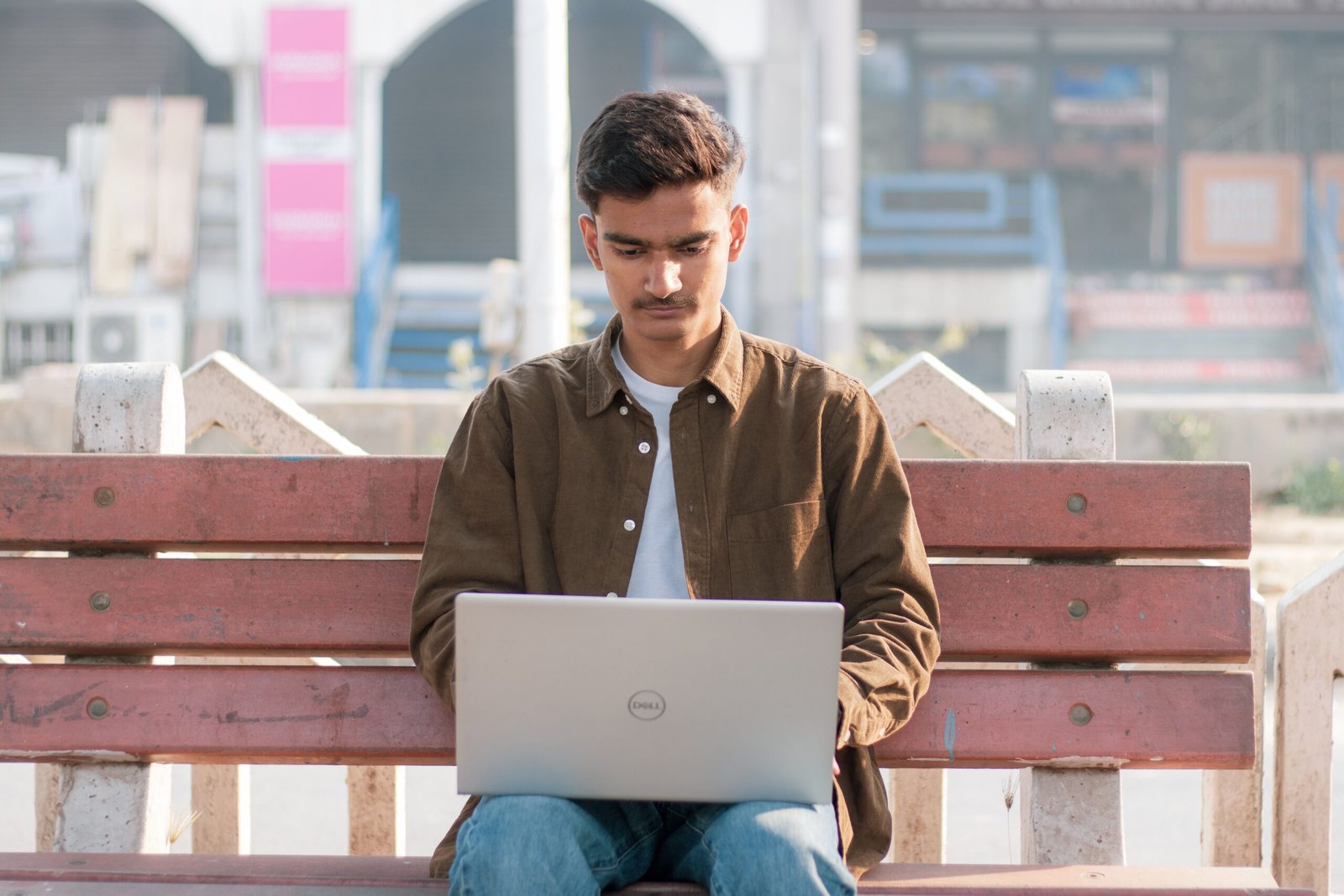
Table of Contents
ToggleFinding the best best laptop can be more difficult than it first appears because there is no single laptop that is perfect for every person. A student may need an affordable computer with excellent battery life and enough performance for documents, browsing, research, and online classes, while a professional may prioritize a comfortable keyboard, strong multitasking performance, security features, and portability. A gamer has very different requirements, including a powerful processor, dedicated graphics, a high-refresh-rate display, and effective cooling. Creative professionals working with photography, video editing, music production, engineering software, or 3D applications may need even more processing power, memory, storage, and display quality. For this reason, searching for the best best laptop should not simply mean looking for the most expensive model. The better approach is to understand your own requirements and then compare laptops according to the features that matter most for your workload.
The laptop market also changes quickly, with manufacturers introducing new processors, displays, designs, battery technologies, and connectivity options. A laptop that was considered premium several years ago may now compete with affordable newer models, while a budget laptop can provide surprisingly strong performance for everyday tasks. When comparing the best best laptop options, it is therefore important to look beyond brand names and focus on specifications, build quality, software support, battery expectations, upgradeability, warranty coverage, and overall value. This guide explains the most important factors to consider so you can make a more informed decision rather than choosing a laptop based only on advertising or appearance.
What Does “Best Best Laptop” Really Mean?
The phrase best best laptop can represent a search for the best overall laptop, but the meaning of “best” depends heavily on the person buying it. Someone who spends most of the day writing documents and attending video meetings does not necessarily benefit from purchasing an expensive gaming laptop with a powerful graphics processor. Similarly, a professional video editor may find an inexpensive entry-level laptop frustrating because its processor, memory, display, and storage may not be suitable for demanding workloads. The best laptop is therefore the one that provides an appropriate combination of performance, portability, features, reliability, and price for the intended user.
A useful way to approach the search is to divide laptops into categories. There are lightweight laptops designed primarily for portability, traditional productivity laptops intended for work and study, premium laptops emphasizing materials and displays, gaming laptops built around high-performance hardware, and specialized mobile workstations designed for demanding professional applications. There are also 2-in-1 computers that can function as both laptops and tablets. Understanding these categories makes it much easier to narrow down the huge number of choices available.
How to Choose the Best Laptop for Your Needs
Before comparing specific laptop models, think about what you will actually do with the computer. If your main activities include browsing the internet, writing documents, checking email, watching videos, using office applications, and participating in online meetings, you may not need an extremely powerful system. A modern mid-range processor, sufficient RAM, a fast solid-state drive, and a good-quality display can provide a smooth experience for these tasks. Spending additional money on specifications that you will rarely use may not provide much practical benefit.
Students often need a balance between price, portability, battery life, durability, and performance. A laptop that is light enough to carry around campus can be more convenient than a heavier performance-oriented machine. At the same time, students studying programming, engineering, architecture, design, or other demanding subjects may need more powerful hardware. The best laptop for students is therefore dependent on the student’s field of study and the applications they expect to use.
For business users and professionals, keyboard quality, webcam performance, battery life, connectivity, security, and reliability can be especially important. A laptop used for several hours every day should be comfortable to type on and easy to carry if the user frequently travels. Professionals who regularly work with large spreadsheets, databases, development environments, or other demanding applications should also pay close attention to processor performance and memory capacity.
Processor: One of the Most Important Laptop Features
The processor is one of the central components determining how quickly a laptop can perform many tasks. Modern laptop processors are available across a wide range of performance levels, from efficient chips designed for basic computing to powerful processors intended for demanding workloads. When researching the best best laptop, do not judge a processor solely by its advertised clock speed. Processor architecture, number of cores, generation, efficiency, thermal design, and the specific workload all influence real-world performance.
For everyday computing, a modern mid-range processor is often sufficient. Users who frequently perform demanding tasks such as software development, large-scale data processing, professional photo editing, video production, or 3D work may benefit from a higher-performance processor. Gamers should consider both the processor and graphics hardware because modern games can place substantial demands on both components.
Another important consideration is efficiency. A processor that delivers strong performance while consuming relatively little power can contribute to better battery life. This is particularly valuable in thin and lightweight laptops where battery capacity and cooling systems may be limited. Therefore, processor selection should involve more than simply choosing the highest specification available.
How Much RAM Does the Best Laptop Need?
RAM, or random-access memory, allows a computer to keep active applications and data readily available. Having enough RAM can make multitasking much smoother, especially when several browser tabs, applications, documents, and communication tools are open simultaneously. When evaluating the best best laptop, consider your normal workload rather than choosing RAM solely based on the largest number you can afford.
For basic computing, a modest amount of RAM may be adequate, while users who regularly multitask or use more demanding applications can benefit from additional memory. Professionals working with large projects, development environments, creative applications, virtual machines, or other demanding workloads may need considerably more. Gaming laptops can also benefit from sufficient RAM, particularly when modern games are used alongside background applications.
It is also worth checking whether the laptop’s memory can be upgraded. Some thin laptops have memory permanently integrated into the motherboard, meaning the amount purchased initially may be the amount available throughout the device’s life. A laptop with upgradeable memory can provide greater flexibility for users who expect their requirements to increase over time.
Storage: SSD Capacity and Speed Matter
Storage is another major consideration when searching for the best best laptop. Modern laptops commonly use solid-state drives, which are significantly faster and more responsive than older mechanical hard drives. An SSD can improve startup times, application loading, file access, and the overall feeling of responsiveness.
Capacity is equally important. A person who primarily works with documents and cloud-based files may require considerably less storage than a photographer, video editor, gamer, or professional who keeps large files locally. Before buying a laptop, consider how much space your current files occupy and how quickly that amount is likely to grow.
You should also investigate whether the laptop allows storage upgrades. Some models make it relatively easy to replace or add an SSD, while others have limited upgrade options. If you plan to keep your laptop for many years, upgradeability can be a valuable feature.
Display Quality Should Not Be Ignored
The display is one of the parts of a laptop you interact with constantly, yet shoppers sometimes focus heavily on processor and RAM specifications while overlooking screen quality. A good display can make reading, editing photos, watching movies, working with spreadsheets, and browsing the web much more comfortable.
Resolution is important, but it is not the only factor. Brightness, color accuracy, contrast, viewing angles, refresh rate, panel technology, and screen size can all affect the experience. People who work with photography or video should pay particular attention to color reproduction. Gamers may prefer a higher refresh rate for smoother motion, while users who frequently travel may prioritize a compact display and lightweight design.
Touchscreen functionality can also be useful for some people, particularly those interested in convertible or 2-in-1 laptops. However, it is not essential for everyone, so buyers should consider whether they will actually use it before paying extra for the feature.
Battery Life and Portability
A laptop’s portability is determined by more than its weight. Thickness, charger size, battery capacity, screen size, construction, and power efficiency all contribute to how convenient a computer is to carry. Someone who frequently travels may place a much higher value on portability than someone who mainly uses a laptop at a desk.
Battery life is another important part of the equation. Manufacturers often publish battery estimates under particular testing conditions, but actual battery life can vary significantly depending on brightness, applications, wireless connectivity, processor workload, and power settings. Users should therefore treat advertised battery figures as useful reference points rather than guarantees.
The best laptop for travel is generally one that combines reasonable performance with low weight and dependable battery life. A very powerful gaming laptop may deliver excellent performance but can be substantially less convenient to carry than a lightweight productivity machine.
Best Laptop for Students
The best laptop for students should provide a sensible balance of performance, battery life, portability, durability, and price. Students often move between classrooms, libraries, homes, and other locations, making weight and battery life particularly important. The computer should also be comfortable for long writing sessions and capable of handling web research, presentations, documents, online meetings, and educational software.
Students studying technical subjects may need additional performance. Programming, engineering, architecture, computer science, design, and media courses can require software that places greater demands on the processor, RAM, graphics hardware, and storage. In those situations, it makes sense to choose specifications based on the actual applications required by the course rather than following a generic student-laptop recommendation.
Best Laptop for Work and Business
The best laptop for work depends on the type of work being performed. Office users may prioritize a comfortable keyboard, clear display, strong battery life, and reliable connectivity. People who travel for work may want a lightweight machine with a durable chassis and efficient charging. Professionals who spend their days working with large datasets, demanding applications, software development environments, or creative programs may need significantly more performance.
Connectivity can also be important in professional environments. USB ports, USB-C, display outputs, wireless connectivity, and other expansion options can determine how easily a laptop connects to monitors, storage devices, phones, projectors, docking stations, and other accessories. Checking the port selection before purchasing can prevent the need for multiple adapters later.
Best Laptop for Gaming
Gaming laptops have different priorities from ordinary productivity laptops. The graphics processor is particularly important because modern games can require substantial graphical performance. A capable gaming system should also have a suitable processor, enough RAM, fast storage, effective cooling, and a display capable of taking advantage of the hardware.
The display’s refresh rate can be especially important for gaming because a higher refresh rate can provide smoother motion when the hardware is capable of producing enough frames. Cooling is equally important because powerful components generate significant heat. A laptop with impressive specifications may not perform consistently if its thermal system cannot manage sustained workloads effectively.
Gaming laptops also tend to be heavier and less portable than thin productivity models. This is an important trade-off to consider. A buyer who wants one computer for both gaming and travel should compare performance requirements against weight, battery life, and overall portability.
Build Quality and Keyboard Comfort
Specifications do not tell the entire story. Build quality can influence how a laptop feels after months or years of use. A well-designed chassis, strong hinges, quality keyboard, responsive trackpad, and durable materials can make a significant difference to the everyday experience.
Keyboard quality is especially important for writers, programmers, students, and professionals who type for long periods. Key travel, layout, spacing, backlighting, and overall responsiveness can affect comfort. The trackpad is similarly important because it is often the primary pointing device when a mouse is not connected.
For this reason, anyone researching the best best laptop should consider the physical design alongside the technical specifications. A laptop with slightly lower specifications but an excellent keyboard, display, and build can sometimes provide a better everyday experience than a machine with impressive numbers but poor ergonomics.
Connectivity and USB-C
Modern laptops increasingly rely on USB-C for charging, data transfer, displays, and accessories. However, USB-C ports do not all provide exactly the same capabilities. Some support high-speed data transfer, while others can also support display output or power delivery.
When evaluating a laptop, check exactly what its ports support rather than assuming that every USB-C port has identical functionality. Users who connect external monitors, docks, storage devices, smartphones, or other accessories should make sure the laptop provides the necessary connections.
Traditional USB ports, HDMI, headphone connections, memory-card readers, and other interfaces can also be useful depending on your setup. Choosing the right port selection can reduce the need for adapters and hubs.
Operating System and Software
The operating system is another factor when selecting the best laptop. Different operating systems have different software ecosystems, interfaces, hardware compatibility, and workflows. Some users may already depend on specific applications that work best on a particular platform.
Before buying a laptop, make a list of the software you use regularly and confirm that it is supported on the operating system you intend to purchase. This is particularly important for professional applications, specialized academic software, development tools, and certain games.
Cloud-based applications have made platform compatibility easier in many situations, but specialized software can still have specific requirements. Checking compatibility before purchase is a simple step that can prevent significant problems later.
How Much Should You Spend on the Best Best Laptop?
There is no universal price that defines the best best laptop. Instead, the ideal budget depends on the tasks you expect the machine to perform and how long you intend to keep it. Spending more can provide benefits such as faster hardware, better displays, stronger materials, additional memory, larger storage, or improved portability, but not every user needs all of these features.
A sensible strategy is to establish a budget first and then identify the specifications that matter most within that budget. For example, someone primarily using a laptop for documents and web browsing might prioritize display quality, keyboard comfort, battery life, and portability rather than paying a premium for a high-end graphics processor.
Conversely, users performing professional video editing, 3D rendering, gaming, or other demanding workloads may benefit from spending more on the processor, graphics hardware, RAM, and storage. The key is to match spending with actual requirements instead of buying specifications simply because they sound impressive.
Common Mistakes to Avoid When Buying a Laptop
One common mistake is choosing a laptop based entirely on one specification. A large amount of RAM cannot compensate for an unsuitable processor, and a powerful processor does not automatically make a laptop good if the display, keyboard, cooling system, or battery life is poor. A balanced configuration is usually more useful than an extreme specification in one category.
Another mistake is ignoring upgradeability and connectivity. Buyers sometimes discover after purchase that the laptop cannot accommodate additional storage or memory, or that it lacks a port needed for their existing equipment. Checking these details before purchasing is much easier than solving the problem afterward.
Buyers should also avoid assuming that a higher price always means a better choice for their specific needs. Premium laptops can offer excellent materials, displays, portability, and performance, but an expensive computer may contain features that a particular user never needs. The best best laptop should be selected according to actual requirements, not simply according to price.
A Simple Checklist for Choosing the Best Laptop
Before purchasing, consider the following questions:
- What will you mainly use the laptop for?
- How much processing performance do you need?
- How much RAM is appropriate for your workload?
- How much storage do you require?
- Do you need dedicated graphics?
- What display size and quality do you prefer?
- How important is battery life?
- Will you carry the laptop frequently?
- Do you need USB-C charging?
- Which ports and connections do you require?
- Can the RAM or SSD be upgraded?
- Which operating system and software do you need?
- How important are keyboard and trackpad quality?
- What is your realistic budget?
- How long do you expect to keep the laptop?
Answering these questions can narrow a huge market down to a manageable number of suitable options.
Conclusion
Choosing the best best laptop is ultimately about finding the right balance between performance, features, portability, durability, and price. There is no single computer that will be ideal for every user because students, professionals, gamers, travelers, creators, and casual users all have different requirements. Instead of focusing only on popular brands or the highest specifications, buyers should consider how the laptop will actually be used every day.
The most effective buying strategy is to start with your workload, establish a realistic budget, and then compare processors, RAM, storage, displays, graphics capabilities, battery life, connectivity, build quality, and upgrade options. Whether you need the best laptop for students, the best laptop for work, the best laptop for gaming, or simply a reliable machine for everyday computing, matching the specifications to your needs will help you make a more confident purchasing decision.
Frequently Asked Questions
What is the best best laptop?
The phrase best best laptop does not identify one particular computer. The right laptop depends on your budget and intended use, including work, study, gaming, creative applications, travel, or everyday computing.
What should I look for when buying the best laptop?
Focus on the processor, RAM, SSD storage, display, battery life, keyboard, build quality, ports, operating system, and upgradeability. The importance of each feature depends on your workload.
How much RAM should a good laptop have?
The appropriate amount depends on your activities. Basic users need less memory than professionals, developers, creators, and users who regularly multitask with demanding applications.
Is an SSD important in a laptop?
Yes. SSD storage generally provides fast startup, application loading, and file access, making it an important feature in modern laptops.
What is the best laptop for students?
The best laptop for students depends on their field of study and budget. Portability, battery life, keyboard comfort, durability, and sufficient performance are generally important, while technical students may need more powerful hardware.
What is the best laptop for gaming?
A gaming laptop should have appropriate graphics hardware, a capable processor, sufficient RAM, fast storage, effective cooling, and a suitable high-refresh-rate display. The ideal configuration depends on the games and performance targets.
Is USB-C charging important?
USB-C charging can be highly convenient because compatible laptops can often share chargers and accessories with other modern devices. However, buyers should verify the laptop’s exact USB-C power-delivery capabilities.
Should I buy a laptop with more storage or more RAM?
That depends on your needs. RAM affects multitasking and application performance, while storage determines how many applications and files you can keep locally. Ideally, choose enough of both for your expected workload.
Is an expensive laptop always better?
Not necessarily. A more expensive laptop may offer better materials, performance, display quality, or portability, but those advantages may not matter to every user. The best value comes from matching the laptop’s features to your actual needs.
How long should a good laptop last?
Laptop lifespan varies according to build quality, usage, maintenance, software requirements, and hardware. Choosing a well-balanced configuration and taking good care of the device can help it remain useful for many years.
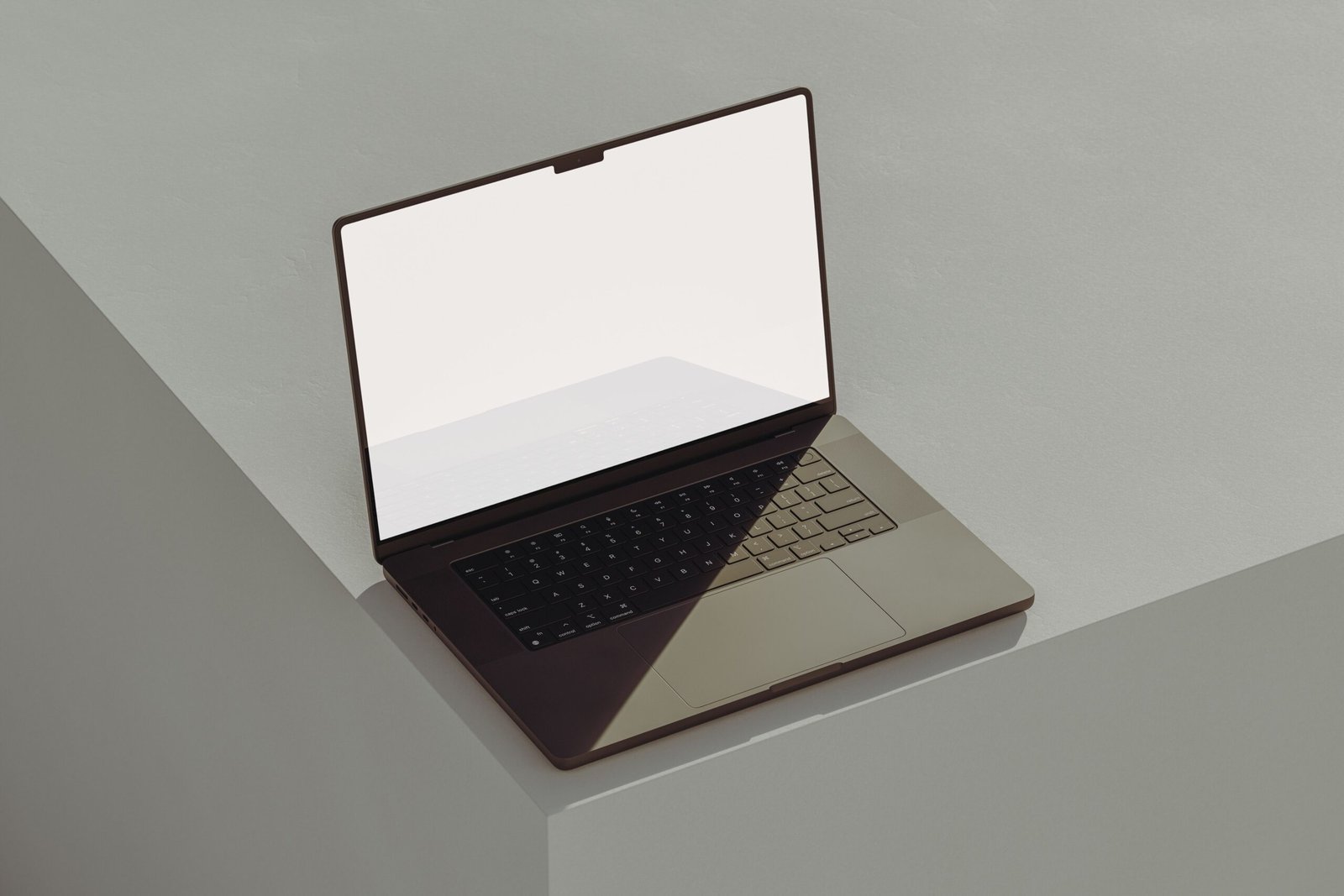
Table of Contents
ToggleLaptop computers with CD ROM drives continue to attract buyers who need convenient access to physical discs. Although many modern laptops have moved away from built-in optical drives because manufacturers prioritize thinner designs, lighter weight, and increasingly common cloud storage, physical media remains useful for many people. CDs and DVDs can contain music, photographs, software, archived documents, educational material, movies, drivers, and other files that users may still need to access. For someone searching specifically for laptop computers with CD ROM functionality, understanding the difference between older CD-ROM technology, DVD drives, and newer external optical drives is important before making a purchase. The right computer depends not only on whether it has a disc drive but also on the processor, memory, storage, display, battery, operating system, ports, and overall condition of the machine.
When shopping for laptop computers with CD ROM drives, it is also important to understand that the phrase “CD ROM” is sometimes used broadly. A traditional CD-ROM drive can read CDs but may not necessarily read DVDs or write information to discs. A DVD drive generally offers greater versatility because it can usually read CDs as well as DVDs, while a DVD writer may also allow users to create their own discs. Therefore, buyers should check the exact specifications rather than assuming every optical drive provides the same capabilities. This guide explains what to look for, why optical drives can still be useful, how to compare different laptops, and what alternatives are available when a newer laptop does not include a built-in disc drive.
What Are Laptop Computers With CD ROM Drives?
Laptop computers with CD ROM drives are portable computers equipped with an optical disc drive designed to read information stored on CDs. These drives use a laser to read digital information from the surface of a disc, allowing the computer to access music albums, software installers, photographs, documents, educational resources, and other CD-based content. Traditional CD-ROM technology became extremely common during the earlier generations of personal computers and laptops, but its popularity declined as USB flash drives, broadband internet, cloud storage, digital downloads, and streaming services became more widespread. Even so, there are situations where a laptop with an optical drive remains particularly practical, especially when someone owns a large physical disc collection or needs to access older software and archived material.
It is worth distinguishing between a CD-ROM drive and the more versatile optical drives found in many later laptops. A CD-ROM drive is primarily intended for reading CDs, whereas a CD-RW drive can read and write certain recordable CDs. DVD drives generally support CD media as well as DVD media, and DVD writers can provide both reading and writing capabilities. Consequently, someone searching for laptop computers with CD ROM should consider whether simple CD playback is sufficient or whether the computer should also handle DVDs and disc burning. Choosing a laptop with a DVD writer can sometimes be more useful because it provides broader compatibility with physical media.
Why Do People Still Want Laptops With Optical Drives?
One major reason people search for laptops with optical drives is that physical media has not completely disappeared. Many households, offices, schools, libraries, and organizations still have collections of CDs and DVDs containing information that has never been transferred to newer storage formats. Someone might have years of family photographs stored on discs, music CDs collected over decades, educational DVDs, software installation discs, or archived business records. Purchasing a laptop with an optical drive can make accessing this material more straightforward because the necessary hardware is already built into the computer.
Another advantage is convenience for particular offline tasks. A disc can contain information without requiring an internet connection, which can be useful when working with archived files or older software. Physical media can also serve as one component of a broader backup strategy, although important files should not rely exclusively on CDs or DVDs because optical discs can deteriorate and are limited in capacity compared with modern storage devices. For users whose daily activities still involve physical media, a laptop with a built-in optical drive can therefore provide a useful combination of traditional compatibility and modern computing capabilities.
CD ROM vs DVD Drive: What Is the Difference?
Understanding the difference between CD-ROM and DVD technology is one of the most important steps when choosing a laptop with an optical drive. CDs and DVDs are both optical media, but DVDs generally offer considerably more storage capacity than standard CDs. A traditional CD can hold roughly 700 MB of data, while a standard single-layer DVD can hold several gigabytes. This difference means that DVDs became popular for software, movies, larger collections of photographs, and other files that could not comfortably fit on a CD.
A CD-ROM drive may therefore be sufficient if your only requirement is reading standard CDs, but a DVD-compatible drive is generally more flexible. Many laptop DVD drives can also read CDs, meaning that one drive can support both formats. Some models additionally include writing capabilities, allowing users to burn compatible files to recordable CDs or DVDs. If you are shopping for laptop computers with CD ROM, checking whether the optical drive is CD-only, CD/DVD, or CD/DVD writer can prevent an expensive purchasing mistake.
Important Features to Consider
The optical drive is only one part of a laptop, so buyers should avoid choosing a computer based solely on whether it contains a CD drive. Processor performance is important for everyday applications, while RAM affects how comfortably the computer can handle multiple applications at once. Storage is equally significant because modern operating systems and applications can require substantial space. A laptop with a solid-state drive can generally provide faster startup and application loading than an older system using a mechanical hard drive, although many older laptops equipped with optical drives were originally designed around traditional hard drives.
The display, keyboard, battery condition, connectivity, and operating-system compatibility also deserve attention. If purchasing an older laptop specifically because it includes a built-in optical drive, carefully inspect its age and condition. A computer can have a perfectly functional CD/DVD drive while other components, such as its battery, charging system, keyboard, screen, or storage device, are approaching the end of their useful life. For used equipment, overall condition can therefore be more important than simply confirming the presence of a disc drive.
Built-In Optical Drive vs External CD/DVD Drive
A major decision for modern buyers is whether to purchase an older laptop with a built-in optical drive or buy a newer laptop and add an external USB optical drive. Built-in drives provide convenience because the drive is integrated into the computer and does not require a separate accessory. This can be useful for people who regularly insert discs and prefer an all-in-one design. However, laptops with built-in optical drives are generally less common in newer product generations.
An external USB CD/DVD drive can provide a practical alternative. These devices are typically compact and can be connected when needed, allowing users to choose a thinner modern laptop without permanently carrying an internal optical mechanism. If physical discs are only used occasionally, an external drive may be more convenient overall. It can also be moved between computers, which may make it useful in a household or workplace where several devices need occasional access to CDs or DVDs.
Advantages of Laptop Computers With CD ROM
The most obvious advantage is compatibility with physical CDs and, depending on the drive, DVDs. Users can access older collections without transferring everything to another device first. A built-in drive can also be useful for installing software from physical discs, viewing compatible DVD content, accessing archived material, and reading old files. For people who already own many discs, having an optical drive can eliminate the need to purchase an additional peripheral.
Another advantage is convenience for offline access. Physical media does not depend on an online account or streaming subscription, and the files on a disc can remain accessible even when internet connectivity is unavailable. This can be useful in certain educational, archival, or personal situations. Nevertheless, discs should be treated as one storage medium rather than a complete backup solution, particularly for irreplaceable photographs and documents.
Disadvantages to Keep in Mind
The biggest disadvantage is that laptops with built-in optical drives are generally less common in newer designs. The drive mechanism takes up internal space and can add thickness and weight. Modern laptop manufacturers have increasingly removed optical drives in favor of thinner chassis, larger batteries, additional cooling space, or other components. As a result, people specifically looking for a new laptop with an integrated CD/DVD drive may find fewer choices than shoppers looking for conventional modern laptops without optical drives.
Older laptops can also present maintenance concerns. Optical drives contain moving components and may become unreliable after years of use. The battery in an older computer may have significantly reduced capacity, while older processors and operating systems may not provide the performance or compatibility expected from a modern machine. Therefore, buyers considering a used laptop with a CD drive should evaluate the entire computer instead of treating the optical drive as the main purchasing criterion.
What Should You Look for When Buying a Used Laptop With a CD Drive?
If you are purchasing used laptop computers with CD ROM drives, begin by verifying the exact optical-drive specification. Determine whether it reads CDs only or also supports DVDs, and check whether it can write discs if that functionality is important to you. Testing the drive with a known working disc is preferable when buying locally. The disc should be recognized consistently, and the drive should open and close properly without unusual mechanical behavior.
Next, evaluate the laptop’s overall condition. Check the screen for significant damage, test the keyboard and touchpad, inspect the charging port, and confirm that the computer starts reliably. Battery health is especially important with older laptops because replacement batteries may be difficult to obtain for discontinued models. Storage health, memory capacity, processor generation, wireless connectivity, USB ports, and operating-system compatibility should also be considered. A functioning optical drive does not compensate for a computer that is otherwise unsuitable for your intended workload.
Are Laptops With CD ROM Still Worth Buying?
Whether a laptop with an optical drive is worthwhile depends largely on how frequently you use physical media. For someone who regularly works with CDs or DVDs, an integrated drive can still provide meaningful convenience. It can also make sense when compatibility with a specific collection of discs is an important requirement. However, someone who rarely uses physical media may find that a modern laptop paired with a small external USB optical drive offers greater flexibility.
The key is to avoid purchasing an outdated computer simply because it contains a CD drive. A laptop should still meet your requirements for performance, security, connectivity, battery life, display quality, storage, and software compatibility. If those factors are satisfactory, the optical drive becomes a useful additional feature rather than the sole reason for choosing the computer.
How to Find the Right Laptop for Your Needs
Start by identifying exactly what you intend to do with physical discs. If you only need to listen to music CDs or open files from CDs, a basic CD-compatible optical drive may be enough. If you also want to watch DVDs or install DVD-based software, look for a DVD-compatible drive. If creating discs is part of your workflow, confirm that the laptop contains a suitable CD/DVD writer rather than a read-only drive.
After determining your optical-media requirements, consider your normal computing activities. A laptop intended for web browsing, office applications, and basic media playback has different requirements from one used for professional software, programming, photo editing, or other demanding tasks. The best choice is the computer that combines the optical compatibility you require with appropriate modern hardware and reliable overall condition.
Conclusion
Laptop computers with CD ROM drives remain useful for people who need access to physical media, particularly CDs, DVDs, archived files, older software, music collections, photographs, and educational material. Although built-in optical drives have become less common as laptops have become thinner and cloud-based services have expanded, the technology still has practical applications. Buyers should understand the difference between CD-ROM drives, DVD drives, and DVD writers so they can select hardware that actually supports their intended discs.
For many users, the decision ultimately comes down to frequency of use. Someone who works with discs regularly may appreciate the convenience of a built-in optical drive, while an occasional user may prefer a modern laptop combined with an external USB CD/DVD drive. Whatever option you choose, consider the entire computer rather than focusing exclusively on the optical drive. Processor performance, memory, storage, battery health, operating-system support, connectivity, and overall condition all contribute to whether a laptop will remain useful over time.
Frequently Asked Questions
What are laptop computers with CD ROM drives?
Laptop computers with CD ROM drives are portable computers equipped with an optical drive capable of reading CD-based media. Depending on the specific drive, the computer may also support DVDs and disc writing.
Can a CD ROM laptop play DVDs?
Not necessarily. A basic CD-ROM drive is designed for CDs, while a DVD-compatible optical drive can generally read DVDs as well. Always check the manufacturer’s specifications before purchasing.
Are laptops with built-in CD drives still available?
They are less common than they were in previous generations because many manufacturers have removed optical drives to create thinner and lighter laptops. Used and refurbished computers may provide more choices.
Can I add a CD drive to a laptop without one?
Yes. An external USB CD/DVD drive can be connected to many laptops that do not have an internal optical drive. This is a common solution for accessing physical discs when needed.
Is a DVD drive better than a CD-ROM drive?
A DVD-compatible drive generally offers broader media compatibility because it can typically handle CDs as well as DVDs. However, the appropriate choice depends on the types of discs you actually need to use.
What should I check when buying a used laptop with an optical drive?
Check the optical drive, screen, keyboard, battery, charger, storage, memory, processor, ports, wireless connectivity, and operating-system compatibility. If possible, test the optical drive with a working disc before purchasing.
Are CD-ROMs still useful?
Yes. CDs can still be useful for accessing older software, music, photographs, documents, educational material, and archived information. Their usefulness depends on whether you still have or need physical media.
Should I buy an old laptop just because it has a CD drive?
Not necessarily. The optical drive should be only one consideration. The laptop’s overall condition, performance, security support, battery health, storage, and compatibility with your software are equally important.

Destin Christopher Tucker: Biography, Family, Education and Career

Best Best Laptop: A Complete Guide to Choosing the Right Laptop

Laptop Computers With CD ROM: Complete Buying Guide

EO PIS: Complete Guide to the Electronic Office Personnel Information System in 2026

Mark Hines: The Multifaceted Journey of a Scientist, Athlete, and Thought Leader

Beat Banger : The Complete Guide to Gameplay, Features, Characters, Updates, and Community
Trending
 Tech3 months ago
EO PIS: Complete Guide to the Electronic Office Personnel Information System in 2026
- Sports3 months ago
Mark Hines: The Multifaceted Journey of a Scientist, Athlete, and Thought Leader
- Game2 months ago
Beat Banger : The Complete Guide to Gameplay, Features, Characters, Updates, and Community
- Fashion3 months ago
Jo Wilder: Exploring the Name, Authors, and Educational Impact
- Tech3 months ago
The Complete Supanet Mail Guide: Setup, Troubleshooting & Expert Tips for 2026
- Fashion3 months ago
Deanna Che: The Enigmatic Landscape Architect and the Quiet Force Behind a Star’s Multicultural Roots
- Uncategorized3 months ago
Nerwey: Unlocking the Power of a Unique Digital Identity for Branding and SEO Success
- Business2 months ago
Cavira : The Complete Guide to the Meaning, Uses, Businesses, and Why the Name Is Trending